Load planner & partials board

Sell the space you're already hauling.

Truck Space shows dispatchers exactly how many pallet spots are left on every truck — and shows brokers what will fit before they book the equipment.

Box trucks, Sprinters and 53′ trailers. Add as many trucks as you need.

3trucks
1empty
1partial — space to sell
17open pallet spots
Truck 12 · 26′ box7 spots open
Truck 7 · 53′ trailerFull
Van 3 · Sprinter 170″Empty

How it works

No spreadsheets, no guessing on the phone. Three steps and your whole fleet is on one board.

1

Add your trucks

Pick a common size — 26′, 24′, 16′ box, Sprinter 170″, 53′ trailer — or enter a custom size.

2

Book loads onto them

As you book, Truck Space fills the deck and keeps count of the pallet spots that are left.

3

Sell the open space

See which trucks are empty, partial or full at a glance — and fill partials before they roll.

See it in action

Add a truck, book two loads, and see the open space update.
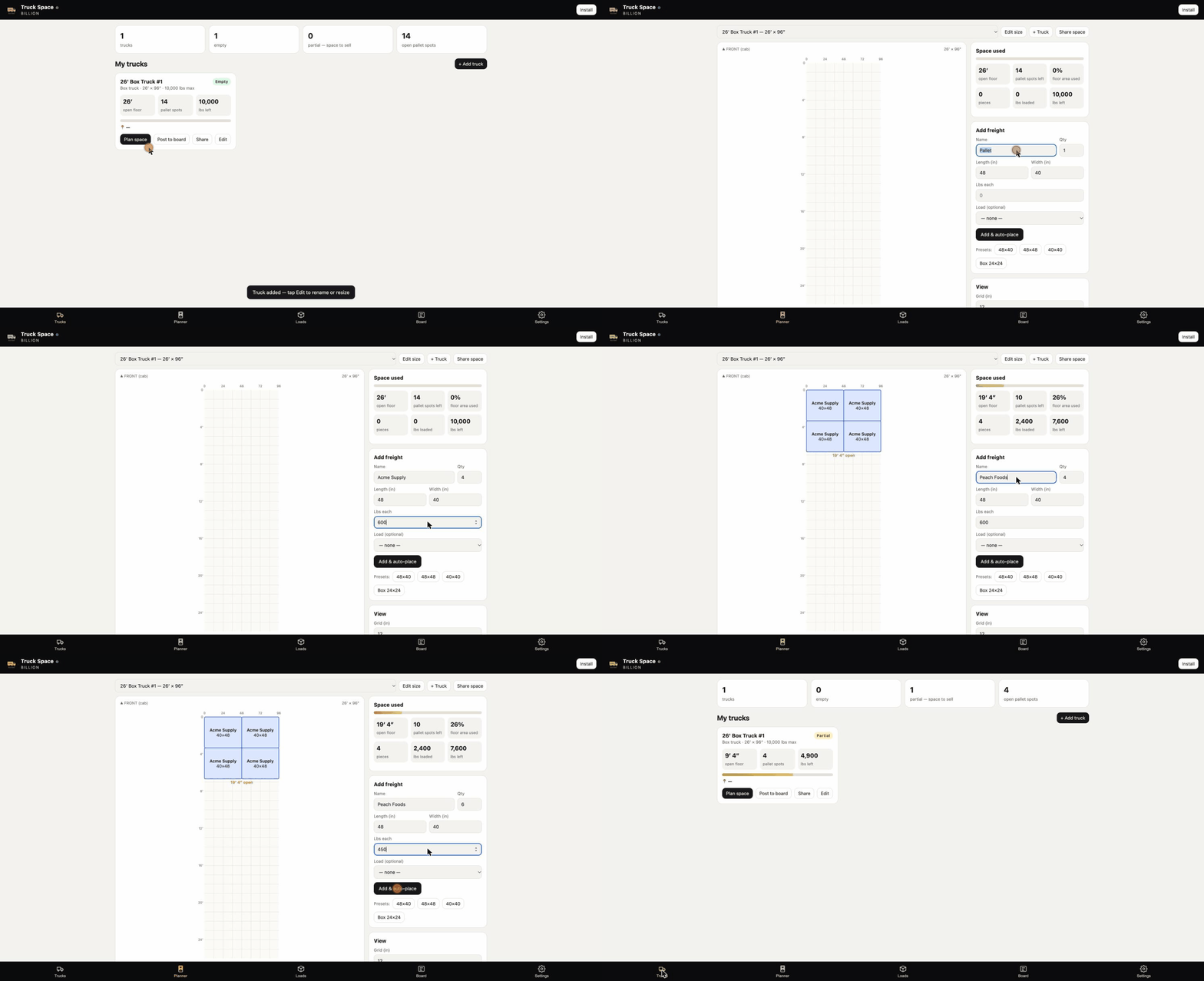
Truck Space demo: adding a 26-foot box truck, booking 4 Acme Supply and 6 Peach Foods pallets, and seeing 4 open pallet spots left

Built for both sides of the load

Dispatchers keep trucks full. Brokers stop guessing on equipment.

For dispatchers

Know your open space before the next call

  • Every truck's remaining pallet spots, live
  • Partials flagged as space to sell
  • Stack more partials without overbooking
For brokers

Know what fits before you book

  • Check freight against real truck sizes
  • Pick a 26′ box when you don't need a 53′
  • Fewer "it won't fit" surprises at pickup

Works with the trucks you run

Change sizes anytime.

26′ box24′ box16′ box Sprinter 170″53′ trailerCustom size

Stop running trucks half empty.

Set up your first truck in under a minute.

Try Truck Space free